
Install PersonalSign Certificate Using Microsoft Edge in IE Compatibility Mode
Mar 24, 2026
Install PersonalSign Certificate Using Microsoft Edge in IE Compatibility Mode
|
OVERVIEW: This page walks you through the process of downloading and installing your GlobalSign PersonalSign Certificate using Microsoft Edge in IE Compatibility Mode. At the completion of this procedure, your Certificate will be ready to be configured on your desired platform, email client, etc. For more Certificate installation options, please refer to this page. |
|
IMPORTANT: This guide is for installing Certificate using Microsoft Edge in IE Compatibility Mode. If you selected a different generation method during ordering (Step #4), please go back to the Installation page to find the correct guide. Otherwise, you need to cancel your current order and reorder to change your selection. |
Prerequisites
Before you proceed, make sure you have completed the following:
-
Approved and vetted GlobalSign PersonalSign Certificate.
To approve your Certificate, please refer to this page. -
Ensure that you are using the computer you want to install your certificate on.
-
You are required to open the pickup link in Microsoft Edge with IE Compatibility Mode enabled, then continue with the guidelines.
Guidelines
- Open the Certificate Download Ready email and launch the pickup link using any browser.
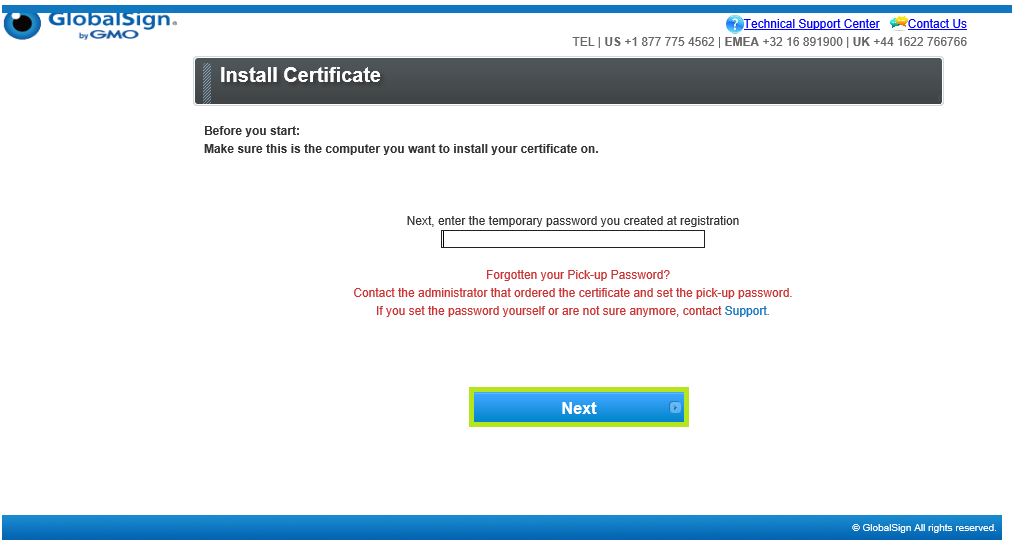
- In the Install Certificate window, enter the pickup password created when you placed your order. Then, click Next
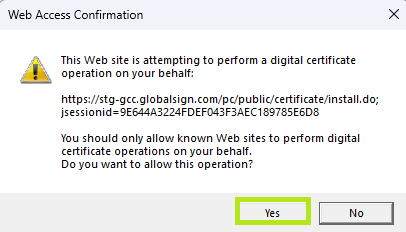
- Click Yes to confirm Web Access.
-
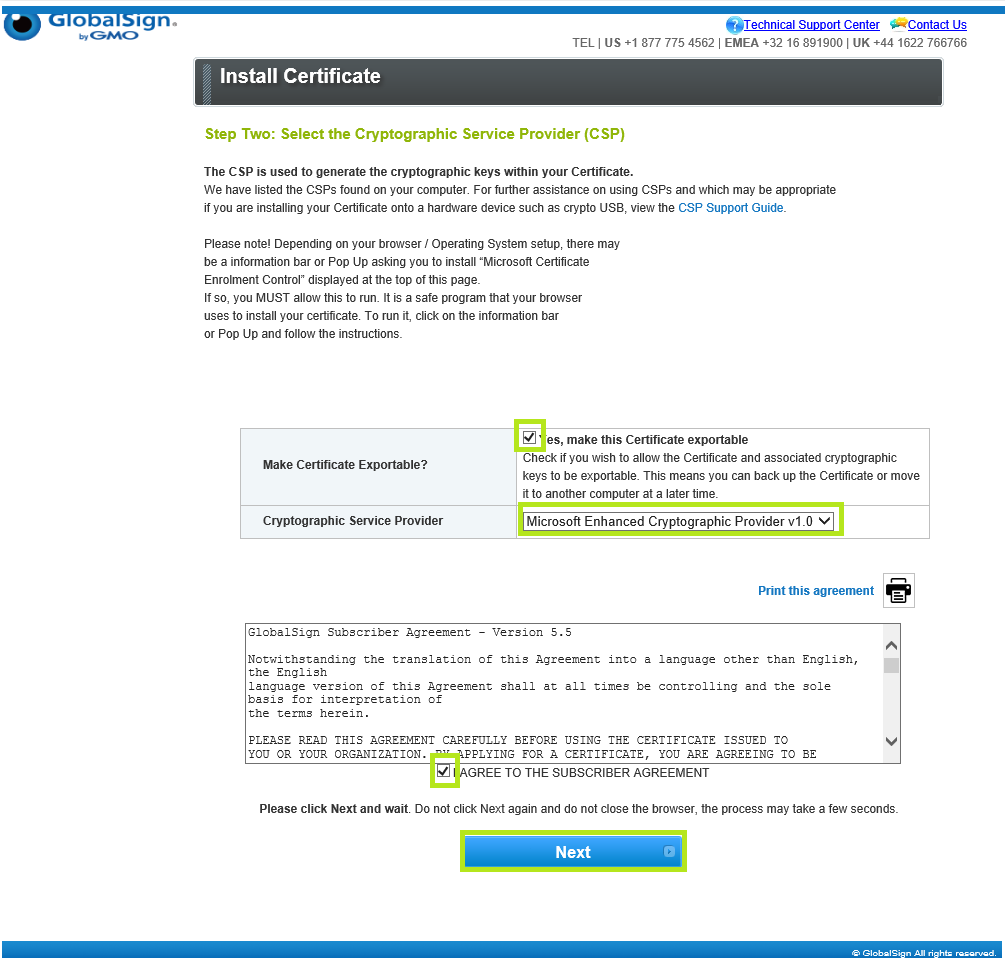
Tick the box if you wish to make your Certificate exportable and select Microsoft Enhanced Cyrptographic Provider v1.0 as your Cyrptographic Service Provider. Then, tick the I Agree to the subscriber agreement box and click Next.
IMPORTANT: If you chose Yes to make you Certificate exportable, you must have an eToken compatible with GlobalSign requirements. GlobalSign verifies token compatibility during installation. If an unsupported token is used, an error message will appear, and the certificate will not install.
-
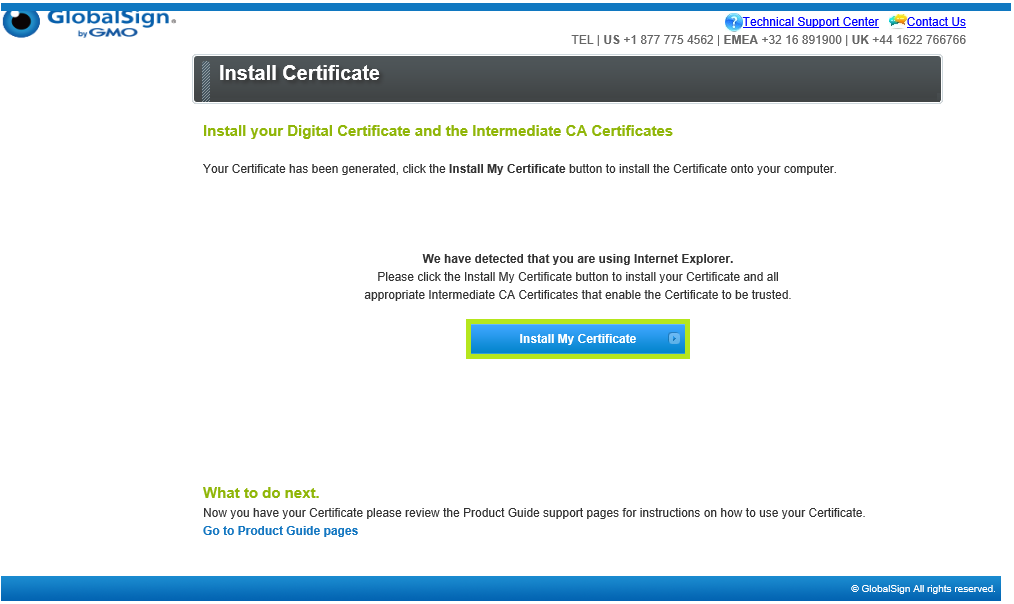
Click Install My Certificate to proceed with installation.
-
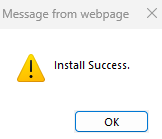
Click OK to complete the process. Your certificate is successfully installed.
|
WHAT'S NEXT: Now that you have successfully installed your PersonalSign Certificate, you may now configure it on your desired platform, email client. For instructions on how to configure your GlobalSign PersonalSign certificate to your preferred platform, please see this page. |
SSL Configuration Test
Check your certificate installation for SSL issues and vulnerabilities.