
Cancel and Reorder Certificate (SSL Certificates)
Jan 1, 2026
Cancel and Reorder Certificate (SSL Certificates)
|
OVERVIEW: This page walks you through the process of cancelling and reordering your GlobalSign SSL Certificate through our GCC Portal. At the completion of this procedure, you will be able to cancel and reorder a new Certificate. For more order management guides, please refer to this page. |
Guidelines
|
IMPORTANT: If you want to cancel a completed order you may do so automatically within the 7-day refund period. After the 7-day refund period you will need to contact support to help you cancel your order. Depending on how you paid for the certificate, canceled orders automatically refund the appropriate amount of credit to deposit accounts, directly refund credit cards or cancel outstanding invoices. |
-
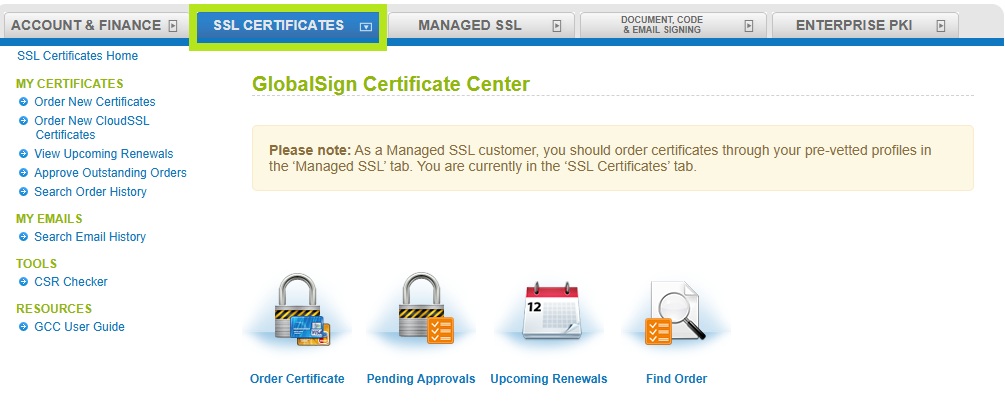
Log into your GCC account and select SSL Certificate tab.
-
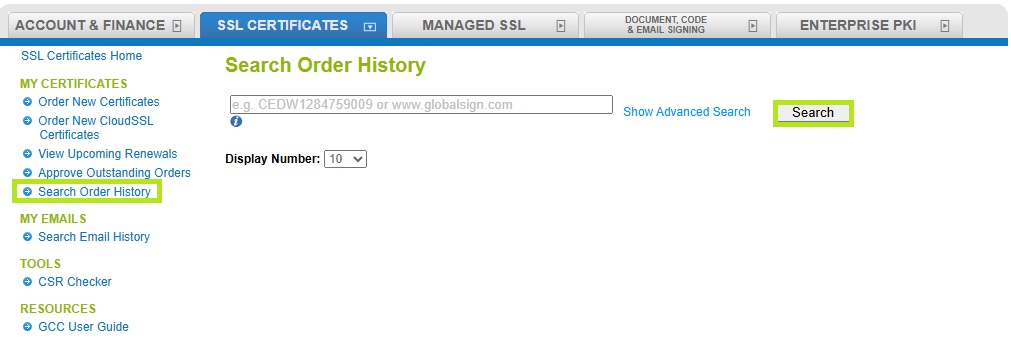
Under My Certificates, click Search Order History. Then, enter your order ID or simply click Search to view all of your Client Certificate orders.
-
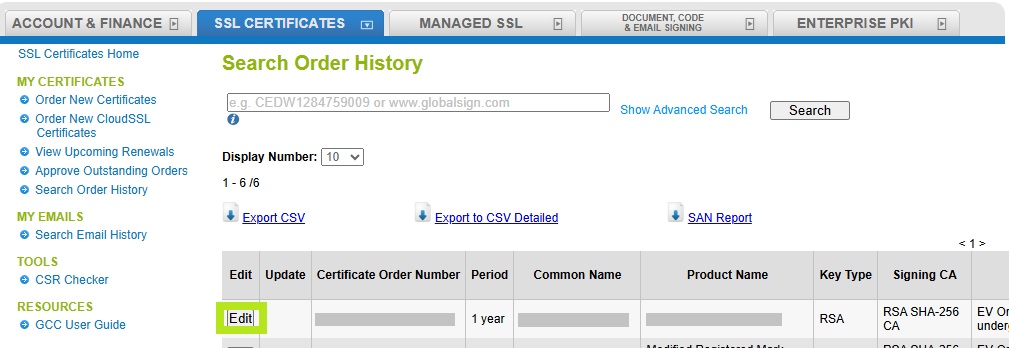
Once you have found the correct certificate, click Edit.
-
On top or at the bottom of the Certificate Edit page, you will have the following buttons:
• Click Cancellation Order to completely cancel the order. This will have you confirm all of the details, then click Confirm at the bottom of the page to finalize the cancellation.
• Click Cancel & Reorder to restart the order process and pre-populate your information.

|
IMPORTANT: These buttons are only available within 7 days of issuance of the Certificate. If you do not have the option to cancel and reorder the Certificate from your account, please check if you are the same user who placed the order, as you may not have permissions to complete this action. Otherwise, please contact support for assistance. |
Related Articles
SSL Configuration Test
Check your certificate installation for SSL issues and vulnerabilities.