
Reissue AATL Certificate
Jan 1, 2026
Reissue AATL Certificate
|
OVERVIEW: This page walks you through the process of reissuing your AATL Certificate. At the completion of this procedure, you will be able reissue a copy of your certificate. For more certificate management guides, please refer to this page. |
Guidelines
|
IMPORTANT: A reissued certificate is valid for download and installation only within seven (7) days from the date it is reissued. After this period, the certificate will be automatically cancelled, and the reissue button on the original certificate will be disabled. If you miss this seven-day window, please contact support for further assistance. |
-
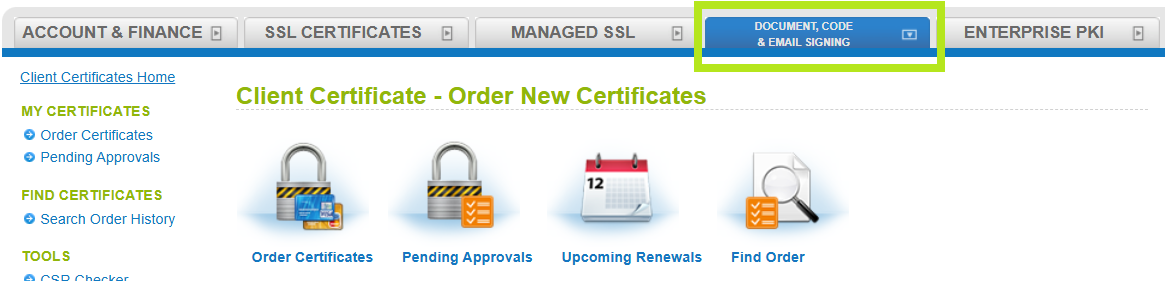
Log into your GCC account and select the Document, Code & Email Signing tab.
-
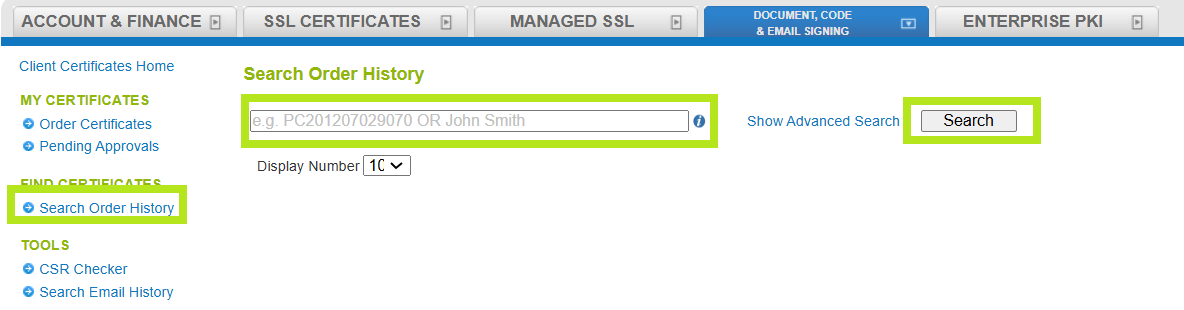
Select Search Order History under My Certificate, then enter your Order ID (case sensitive) or common name in the search screen. Alternatively, you may leave it blank to search for all orders, then click Search.
-
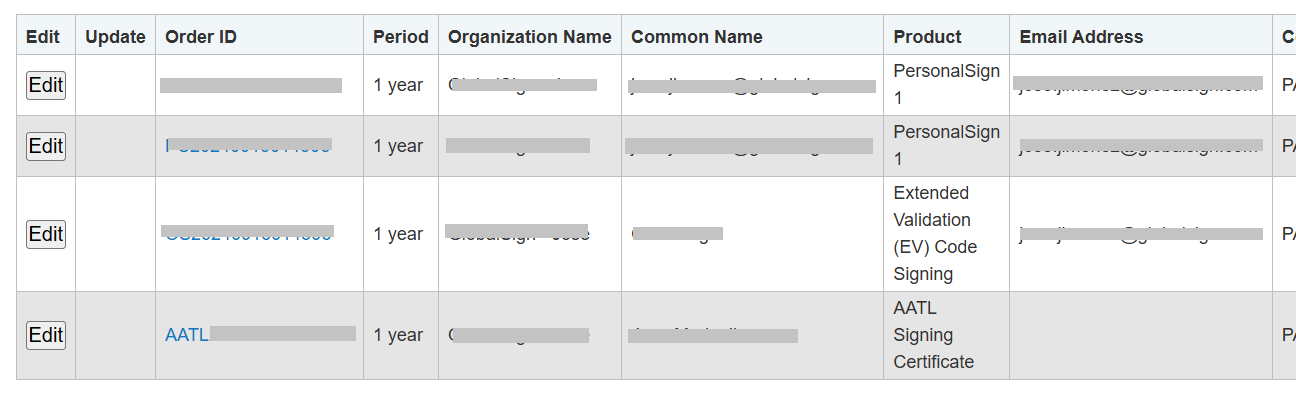
Once you have found the correct certificate, click Edit.
-
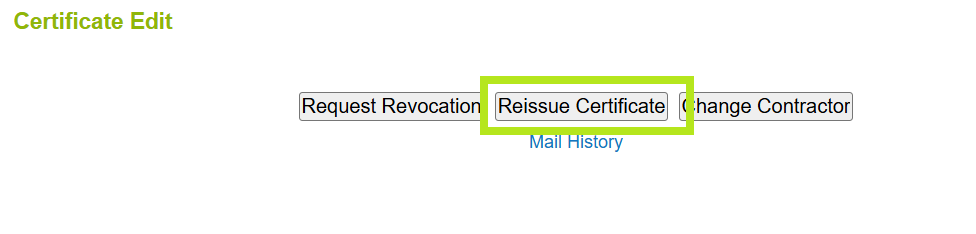
Under the Certificate Edit page, click Reissue Certificate.
-
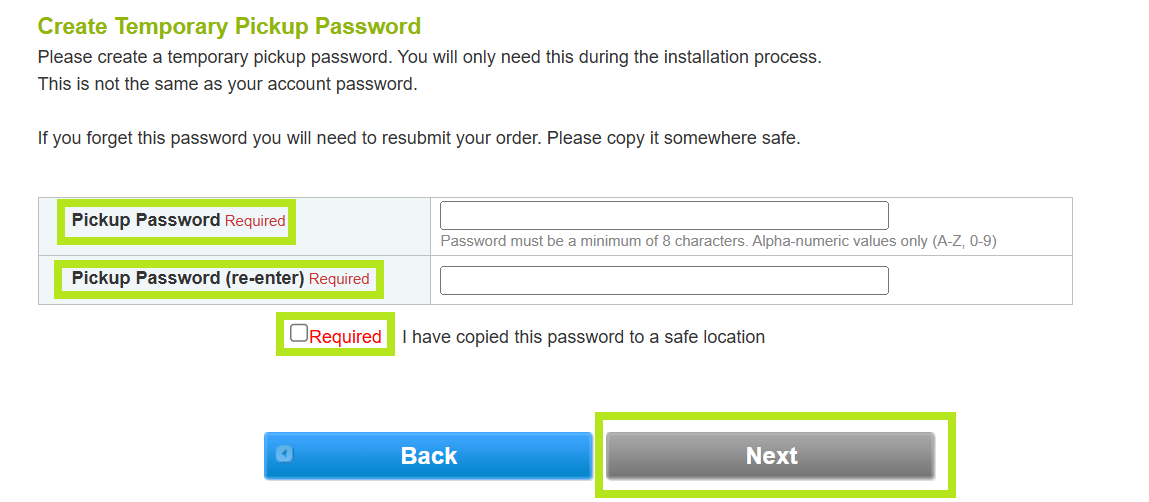
Review the information in the Certificate Identity Details and enter a Pickup Password. Then, tick "I have copied this password to a safe location and click Next.
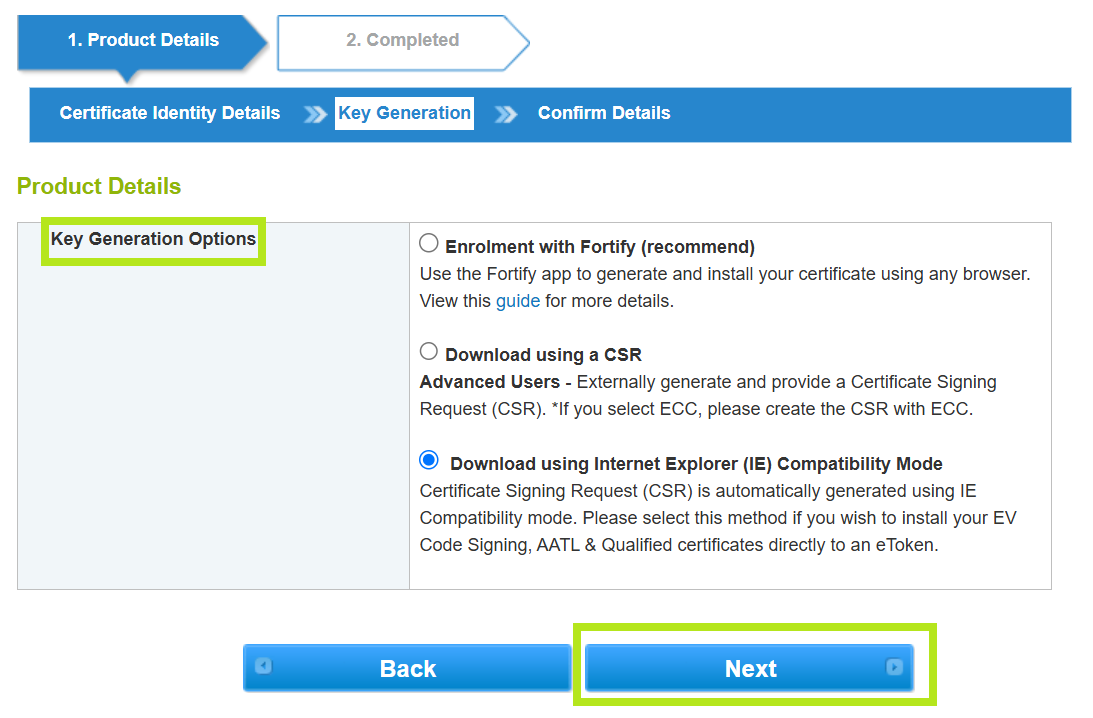
- Choose your preferred Key Generation Options, then click Next.
-
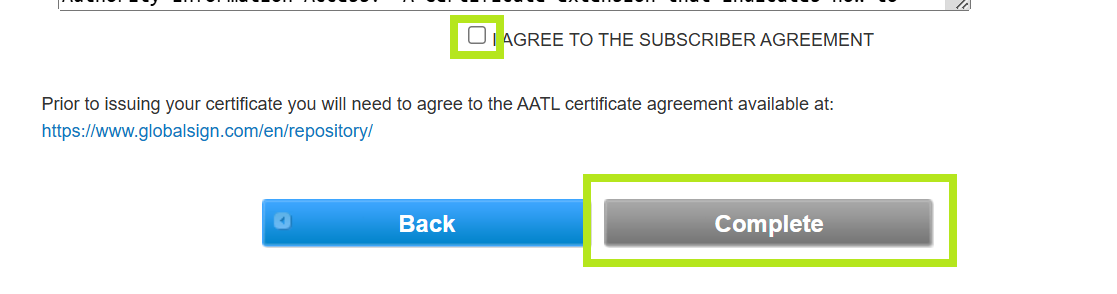
Review all the details in the Confirm Details window and tick "I AGREE TO THE SUBSCRIBER AGREEMENT," then click Complete.
-
You have now successfully reissued your AATL Certificate and you will receive an email shortly with further instructions on how to download your newly reissued certificate.
|
WHAT'S NEXT: Once completed, you have seven (7) days to download and install the reissued certificate. For certificate installation instructions, please refer to this guide. If you have questions or clarifications, contact support for assistance. |
Related Articles
SSL Configuration Test
Check your certificate installation for SSL issues and vulnerabilities.