
Add New Domain in MSSL
Mar 3, 2026
|
OVERVIEW: This page walks you through the process of adding a new domain in your MSSL profile. At the completion of this procedure, you will be able to request for a new domain and start managing your MSSL. For more MSSL domain management guides, please refer to this page. |
Guidelines
|
IMPORTANT: You should have an active profile before proceeding. If you haven't activated your MSSL profile, please refer to this page. After initial Profile setup/vetting is completed, you can add additional domains and perform domain validation. To learn more about domain verification process in MSSL, please refer to this page. |
-
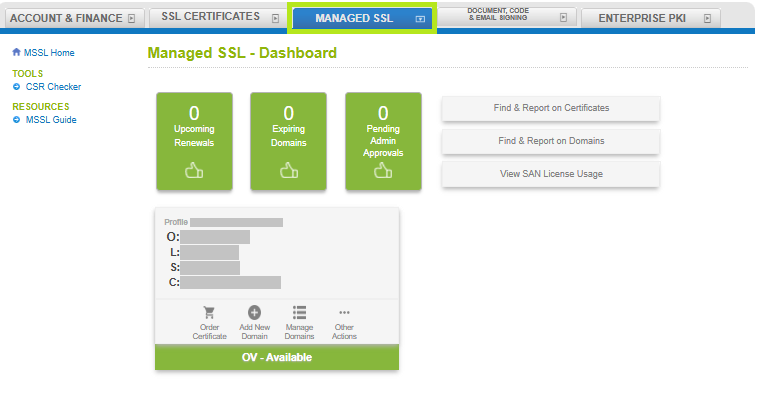
Log in to your GCC account, then go to the Managed SSL tab.
-
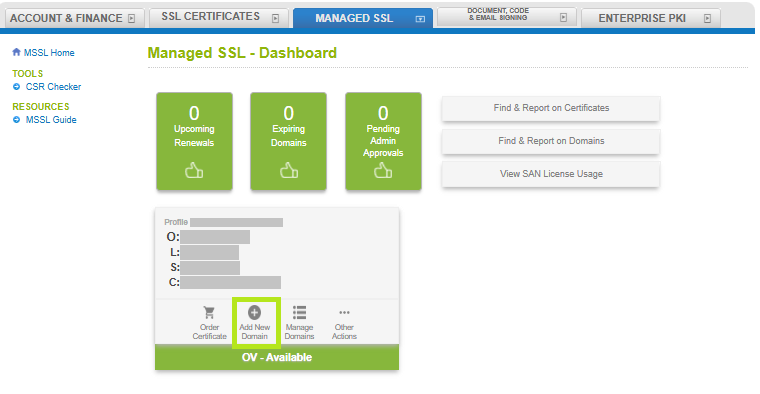
In your profile, click Add New Domain.
-
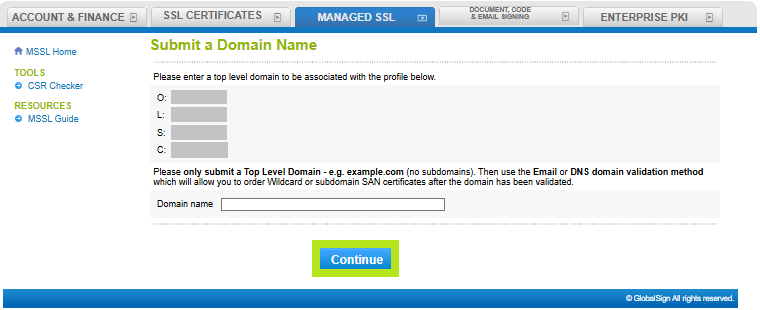
Enter your domain name in the box and click Continue.
-
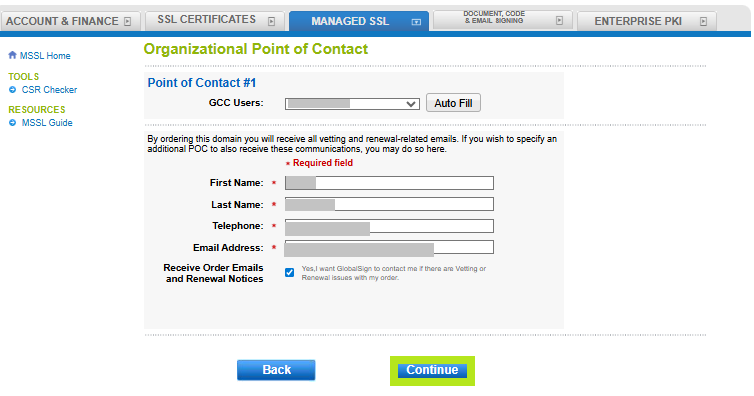
In the Organizational Point of Contact window, fill out the required fields to add a Point of Contact for certificate delivery and/or vetting issues. Then, click Continue. Note: If you have previously filled out these fields, click Auto Fill to populate the information you have provided previously.
-
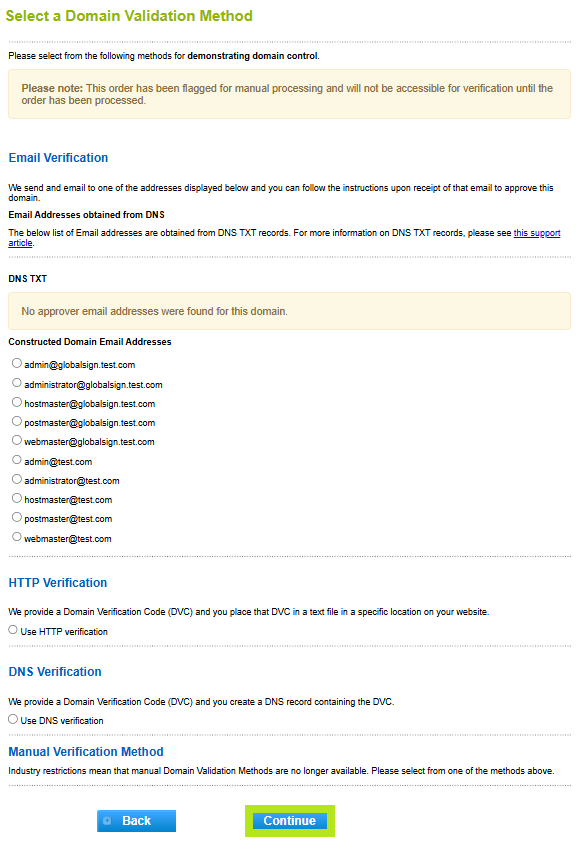
Select your preferred Domain Verification Method (Approver Email, HTTP Verification Method, or DNS TXT Record), then click Continue.
IMPORTANT: Ensure that you have the selected the domain verification method that meets your requirements. Otherwise, you need to cancel your current order and reorder to change your selection.
-
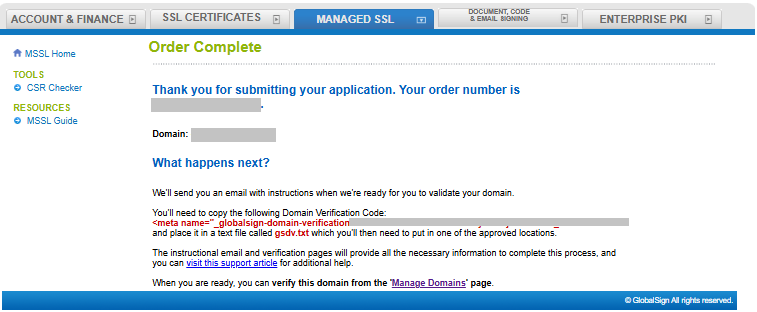
You have successfully added a new domain. In the acknowledgment window, you will see the confirmation and instructions on how you will proceed with domain verification.
|
WHAT'S NEXT: Once you added a domain in your profile, you can now verify it using the verification method you selected. To verify your domain, please refer to this page. |
SSL Configuration Test
Check your certificate installation for SSL issues and vulnerabilities.