
Change Domain Verification Method in MSSL
Jun 18, 2026
Change Domain Verification Method in MSSL
OVERVIEW: This page walks you through the process of changing your domain verification method. At the completion of this procedure, you will be able to change your domain verification method in your MSSL accounts. It can also be used to remove MSSL Domains. For more MSSL domain management guides, please refer to this page↗.
Guidelines
-
Log in to your GCC account, then go to the Managed SSL tab.
IMPORTANT: You will need to be logged in as an Administrator to continue.
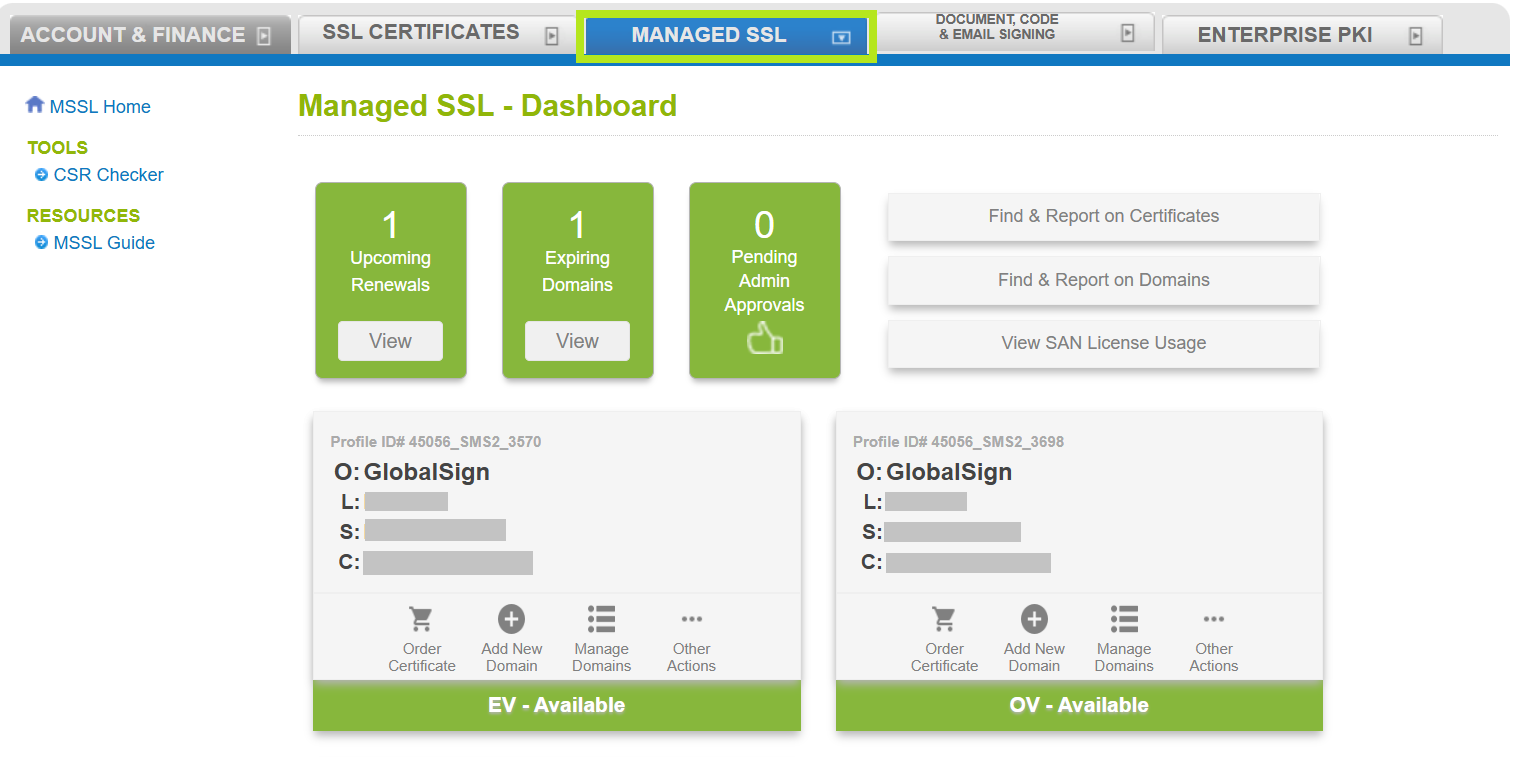
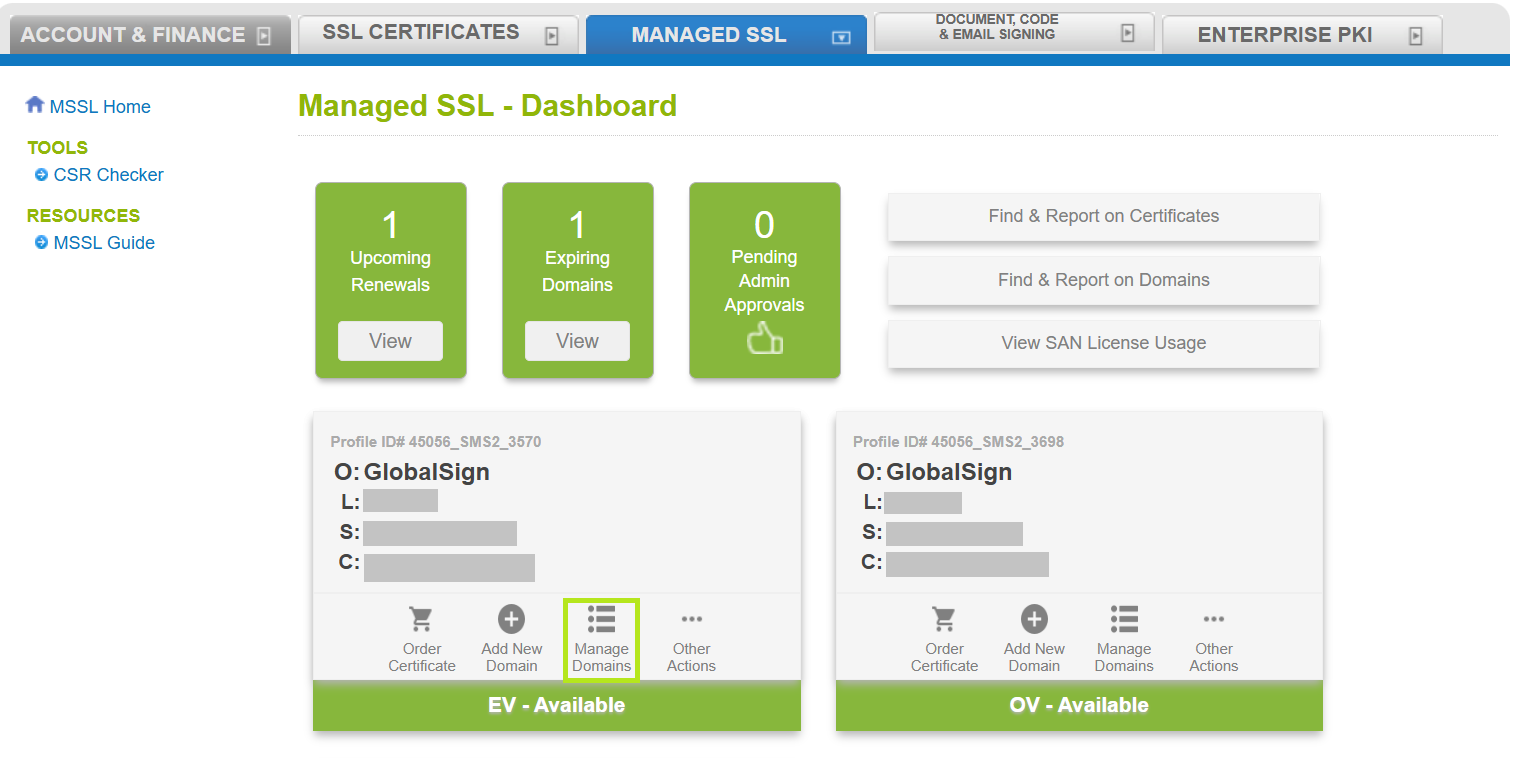
- Click the Manage Domains button in the profile where the domain exists.
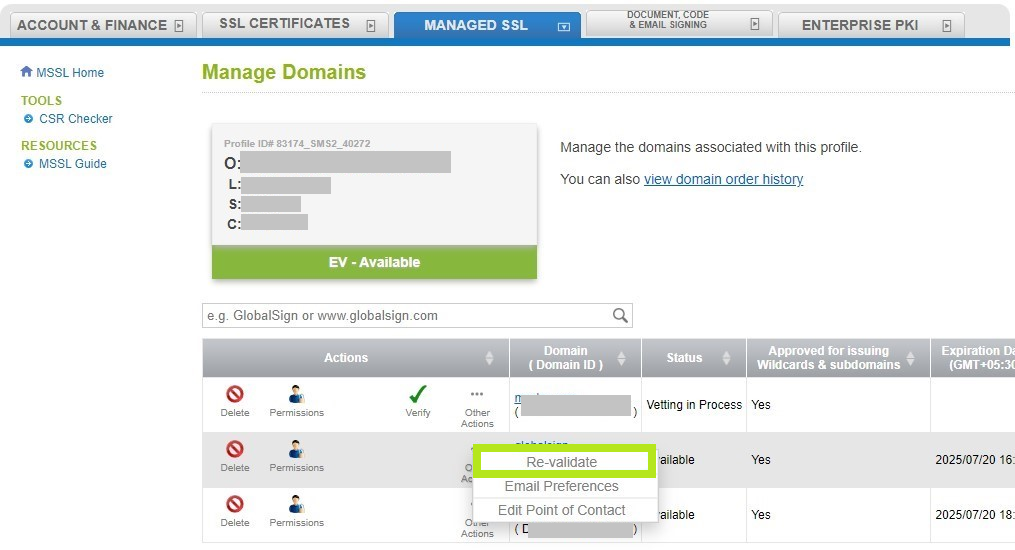
- Find the domain and click the three dots labeled Other Actions. Then click Re-validate.
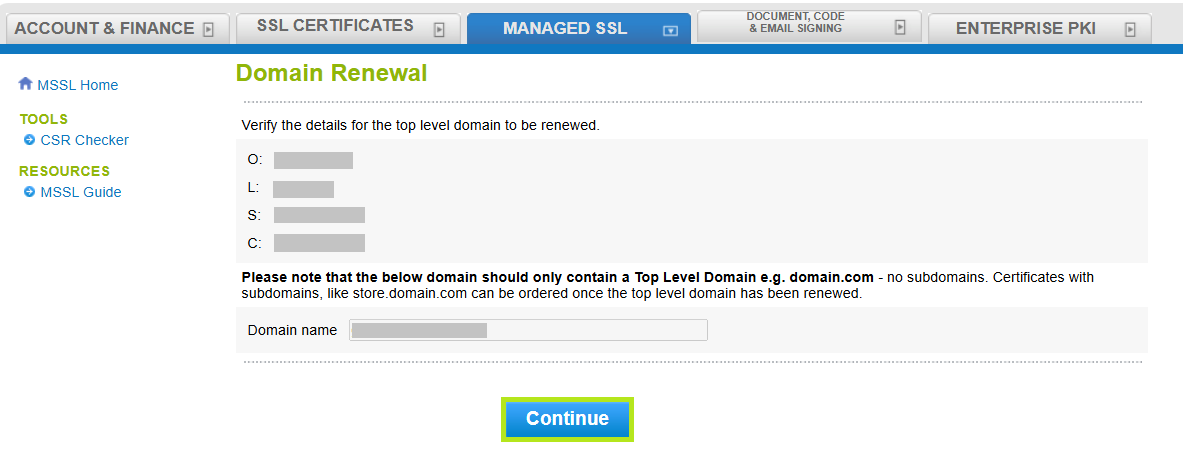
- Confirm the Organization and Domain details and click Continue.
-
In the Organizational Point of Contact window, fill out the required fields to add a Point of Contact for certificate delivery and/or vetting issues. Then, click Continue.
NOTE: If you have previously filled out these fields, click Auto Fill to populate the information you have provided previously.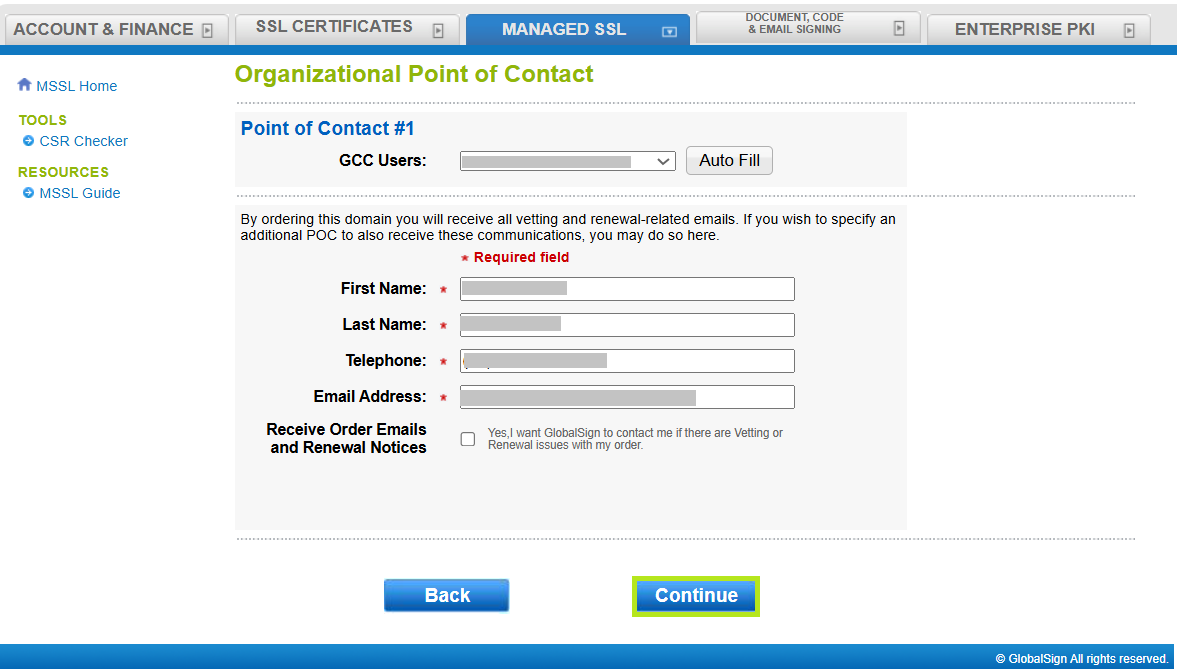
-
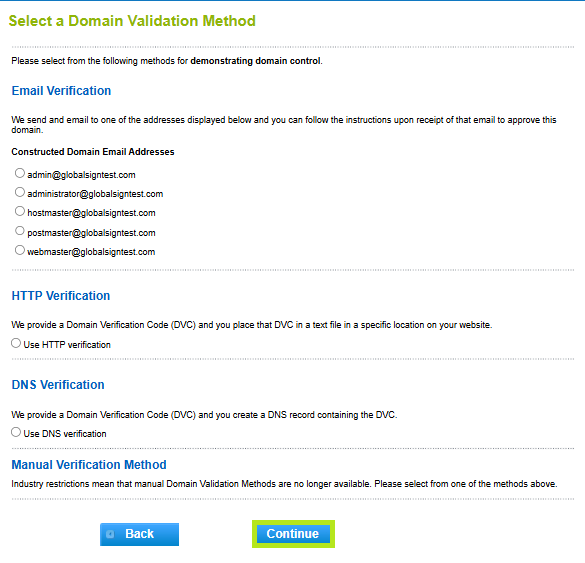
Select your preferred Domain Verification Method (Email, HTTP, or DNS), then click Continue.
IMPORTANT: Ensure that you have the selected the domain verification method that meets your requirements. Otherwise, you need to return to Step 1 of this article and begin the process again. Learn more about Domain Verification Methods here↗.
-
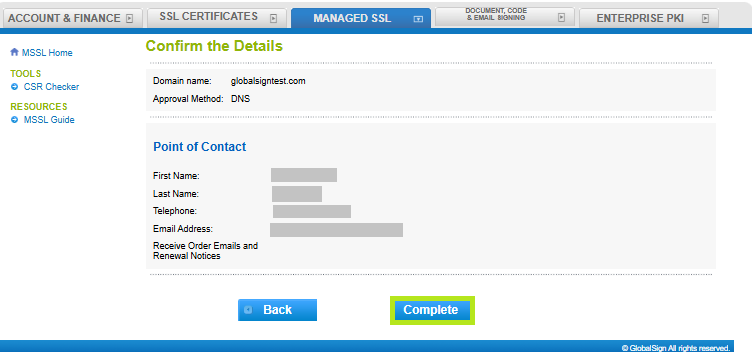
Review all the information you supplied, then click Complete.
-
You have successfully changed your domain validation method. In the acknowledgment window, you will see the confirmation and instructions on how you will proceed with domain verification.
WHAT'S NEXT: Once your domain has been verified, you can order certificates in MSSL. To order new certificates in MSSL, please refer to this page↗.
Related Articles
SSL Configuration Test
Check your certificate installation for SSL issues and vulnerabilities.